
Doc 3
Cache Components lets you mix static, cached, and dynamic content in a single route, giving you the speed of static sites with the flexibility of dynamic rendering.
Server-rendered applications typically force a choice between static pages (fast but stale) and dynamic pages (fresh but slow). Moving this work to the client trades server load for larger bundles and slower initial rendering.
Cache Components eliminates these tradeoffs by prerendering routes into a static HTML shell that's immediately sent to the browser, with dynamic content updating the UI as it becomes ready.
 ## How rendering works with Cache Components
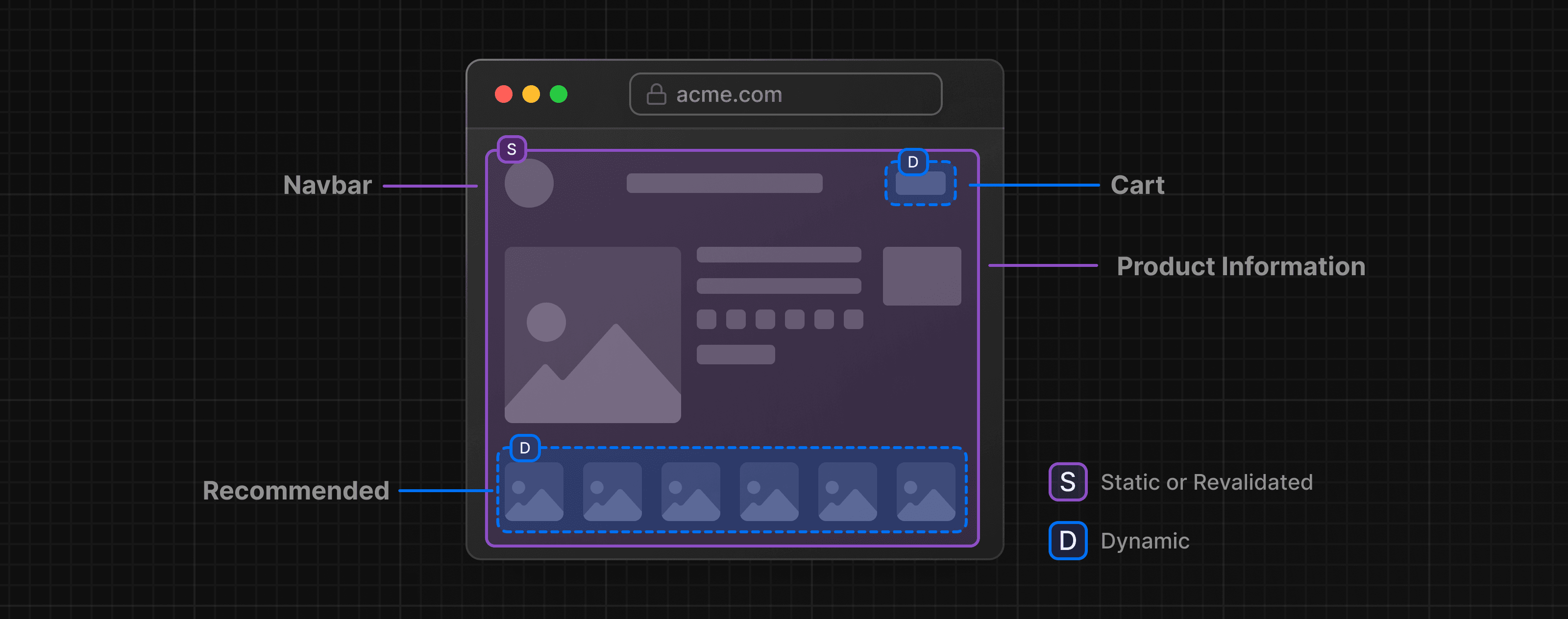
At build time, Next.js renders your route's component tree. As long as components don't access network resources, certain system APIs, or require an incoming request to render, their output is automatically added to the static shell. Otherwise, you must choose how to handle them:
- Either defer rendering to request time by wrapping components in React's
<Suspense>, showing fallback UI until the content is ready - Or cache the result using the
use cachedirective to include it in the static shell (if no request data is needed)
Because this happens ahead of time, before a request arrives, we refer to it as prerendering. This generates a static shell consisting of HTML for initial page loads and a serialized RSC Payload for client-side navigation, ensuring the browser receives fully rendered content instantly whether users navigate directly to the URL or transition from another page.
Next.js requires you to explicitly handle components that can't complete during prerendering. If they aren't wrapped in <Suspense> or marked with use cache, you'll see an Uncached data was accessed outside of <Suspense> error during development and build time.
Good to know: Caching can be applied at the component or function level, while fallback UI can be defined around any subtree, which means you can compose static, cached, and dynamic content within a single route.
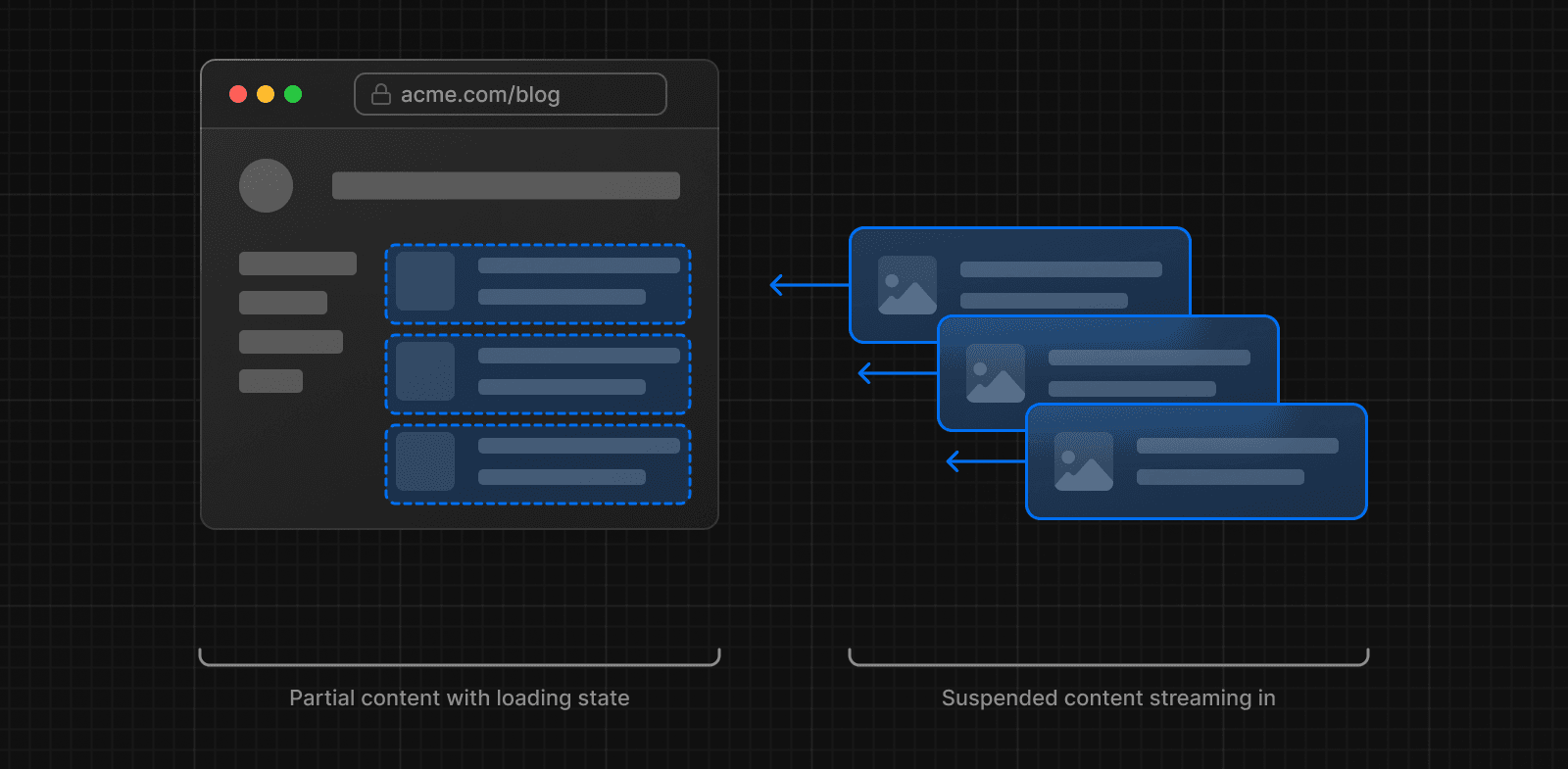 This rendering approach is called Partial Prerendering, and it's the default behavior with Cache Components. For the rest of this document, we simply refer to it as "prerendering" which can produce a partial or complete output.